
MZ gone ROGUE
I am a bit like Mark Zbikowski: I too like to hide my initials in the code I write.
Unfortunately, Mark Zbikowski is not like me though. Because Mark has his
initials not in a script of a project, but instead in every .exe file
since the early 1980s. All of
them. Because he was one of
the leading developers of MS-DOS and designed the MS-DOS executable format.
Why am I talking about MS-DOS .exe files? Because in the previous
post, I built an x86
instruction decoder. Now I need something to decode. And to run. Let’s look at
what it takes to go from an .exe file on disk to a playable game.
The MZ header
MS-DOS knows two executable formats: COM and EXE. COM files are trivial:
read the file into memory at offset 0x0100, set IP to 0x0100, and “let ‘er
rip.” No header, no structure. The file is the program. This simplicity comes
with serious drawbacks though: a 64 KB size limit, one segment. Executables
tended to be smaller back then, but 64 KB was not a lot of space even in the
1980s, and so no serious DOS software ships as COM.
EXE files use the MZ format: 28 bytes of header, a relocation table, and the
program image. Compare that to Linux’s (and pretty much any Operating System
except Windows) ELF
format with its
program headers, section headers, dynamic linking, symbol tables, and enough
complexity to keep a graduate student busy for a semester. MZ fits on a
postcard:
| Offset | Size | Field |
|---|---|---|
| 0x00 | 2 | Magic number (0x5A4D, “MZ”) |
| 0x02 | 2 | Bytes on last page |
| 0x04 | 2 | Pages in file (512 bytes each) |
| 0x06 | 2 | Number of relocations |
| 0x08 | 2 | Header size in paragraphs |
| 0x0A | 2 | Minimum extra paragraphs |
| 0x0C | 2 | Maximum extra paragraphs |
| 0x0E | 2 | Initial SS (relative) |
| 0x10 | 2 | Initial SP |
| 0x12 | 2 | Checksum (usually ignored) |
| 0x14 | 2 | Initial IP |
| 0x16 | 2 | Initial CS (relative) |
| 0x18 | 2 | Offset of relocation table |
| 0x1A | 2 | Overlay number |
All values are little endian. A “page” is 512 bytes, a “paragraph” is 16 bytes. The file size is calculated from the page count and last-page byte count, leading to a maximum size of 32 MB. One could have used the two times two bytes to store a single four byte value and support 4 GB files, but I guess that both 32 MB and 4 GB executables sounded completely outlandish at the time, and the design as it is was just more practical.
The checksum at offset 0x12 is particularly endearing. In theory, the sum of all 16-bit words in the file should produce zero. In practice, nobody ever checks it and there are decades worth of executables with wrong checksums sitting in archives, leaving yours truly to spend entire NIGHTS trying to debug his loader while in fact nothing is wrong with it. I may seem a little salty, but you try to explain this to your Doctor when they scold you for a high blood pressure…
Relocations
Although from the 80s, EXE files are relocatable. The program does not know where in memory it will end up, only that it will be on a segment / 16 byte boundary. So segment references in the code are stored relative to zero. The relocation table is a list of offsets pointing to every location in the image that contains a segment value. At load time, the loader walks this list and adds the actual load segment to each entry. And it really is just that: A flat array. Add the starting segment. That is the entire algorithm.
After the instruction encoding circus from the previous post, having something this straightforward feels suspicious. But it really is that simple.
The Program Segment Prefix
You have loaded your executable. Time to rub your hands and practice that mad scientist laughter. Alas, your executable will not start, and if it somehow does, it will crash when it tries to exit. What is missing is the Program Segment Prefix, a 256-byte structure that DOS prepends to every loaded program:
| Offset | Size | Field |
|---|---|---|
| 0x00 | 2 | INT 20h instruction |
| 0x02 | 2 | Top of memory (segment) |
| 0x05 | 5 | Far call to DOS function dispatcher |
| 0x0A | 4 | Previous INT 22h (terminate) handler |
| 0x0E | 4 | Previous INT 23h (Ctrl-C) handler |
| 0x12 | 4 | Previous INT 24h (critical error) handler |
| 0x16 | 2 | Parent process PSP segment |
| 0x18 | 20 | File handle table |
| 0x2C | 2 | Environment segment |
| 0x80 | 1 | Command line length |
| 0x81 | 127 | Command line tail |
There are some interesting fields here, that reveal that MS-DOS started its
life as CP/M clone. Take the INT 20h instruction at offset 0x00 for example.
It is an exit mechanism for COM programs: a simple RET instruction pops the
return address 0x0000 off the stack, jumps to the start of the PSP and executes
INT 20h to terminate. But why not call INT 20h directly?
MS-DOS copied this layout wholesale. In CP/M, the “zero page” (addresses 0x0000
to 0x00FF) contained a JP BIOS_WARM_BOOT instruction (jump to warm boot).
CP/M programs could terminate by jumping to address 0 or by executing RET
(because CP/M pushed 0x0000 onto the stack before starting the program). Either
way, execution landed at 0x0000, which rebooted into the command processor.
The far call at offset 0x05 has a similar history. CP/M programs called the
operating system through CALL 5. Early DOS programs did the same. By the time
INT 21h became the standard DOS API, the far call entry point was baked into
every existing program. It stayed. It always stays. Backwards compatibility
rules supreme.
Putting it all together
The loading sequence:
- Read the MZ header. Verify the checksum. Or don’t. Your choice.
- Calculate image size from page count and last-page byte count.
- Allocate memory: 256 bytes for the PSP, plus the image, plus extra paragraphs.
- Initialize the PSP.
- Read the image into memory immediately after the PSP.
- Walk the relocation table. Add the load segment to each referenced word.
- Set SS:SP and CS:IP from the header, adjusted by the load segment.
ProfitExecute.
Now the program is in memory and running. But where exactly in memory? I conveniently left that part out so far. And how does the operating system keep track of who owns what?
Memory Control Blocks
DOS manages memory with a linked list. Each allocated region is preceded by a 16-byte header called a Memory Control Block:
| Offset | Size | Field |
|---|---|---|
| 0x00 | 1 | Type: M (0x4D) = more follow, Z (0x5A) = last |
| 0x01 | 2 | Owner: PSP segment (0x0000 = free) |
| 0x03 | 2 | Size in paragraphs (not including the MCB itself) |
| 0x05 | 3 | Reserved |
| 0x08 | 8 | Program name (DOS 4.0+) |
M for “more blocks follow.” Z for “last block in the chain.” Hmmmm… “M.
Z.” He did it again! My man Mark signed the executable format and the memory
allocator. Just to make sure: Is it really MS-DOS or is that just a typo, and
the whole thing should actually have been “MZ-DOS”?
The allocator itself: walk the chain from the first MCB, find a free block large enough, split it if needed, set the owner to the requesting program’s PSP segment. Freeing sets the owner back to zero. Adjacent free blocks can be merged. A paragraph is 16 bytes. The MCB itself is 16 bytes. One paragraph of overhead per allocation, constant. Simple and elegant.
Talking to DOS
OK, a program is loaded, memory is managed. Now the program wants to do things: read input, write output, open files, check the clock. While Linux uses interrupt 0x80, DOS uses interrupt 0x21.
Put the function number in AH, the parameters in the other registers, execute
INT 21h, and DOS handles it. It is simultaneously the file system, the
memory manager, the process manager, the console driver, and the clock. On a
modern system these would be separate system calls or even separate services.
In DOS, it is one interrupt vector and a massive switch statement.
Implementing INT 21h for x86rme was an exercise in prioritization. The official documentation lists well over a hundred services. A real program uses a surprisingly small subset. I had a demo program that I wanted to be able to run in x86rme, and for that I needed:
-
AH=06h and AH=08h: keyboard input, with and without echo. Programs want to react to key presses without printing them to screen.
-
AH=09h: print a string. Terminated not by a null byte, but by a dollar sign. Because… reasons, I guess. And if you can print a dollar sign using this function, I don’t know how, because to the best of my knowledge, this function does not support escaping characters.
-
AH=25h and AH=35h: get and set interrupt vectors, so the program can install its own handlers. Caught me off guard, and I had to redesign my interrupt handling mechanism because of it. It is a good thing though, because I think the new version is better.
-
AH=2Ch: get the system time. Some programs such as games use this to seed the pseudo random number generator. Without it, every game map looks the same. Luckily I got around implementing “get system date”. Y2K is still a thing.
-
AH=48h, AH=49h, AH=4Ah: allocate, free, and resize memory. The MCB operations from the previous section, wrapped in a system call.
-
AH=4Ch: exit. Another one? Yes. This one does not require you to reset the
CSsegment to the PSP segment, and allows you to specify a return code.
It is an interesting mixture: Programs call BIOS functions (for example interrupt 0x10 for screen drawing or 0x16 for keyboard status) that are independent of the Operating System, and MS-DOS functions for “housekeeping”. Very different from modern design philosophy, where the operating system is your only hook into the system and any direct hardware access is hermetically sealed off.
The moment of truth
Let me show you what I was working towards: ROGUE. The DOS port from 1984 by
Epyx. The “Rogue-like” games you like so much? This is the rogue they talk
about. A dungeon crawler rendered entirely in text, where a smiley is you,
letters are monsters, and # is a corridor. One of the first games with
procedurally generated levels, and the ancestor of an entire genre.
It runs on x86rme.
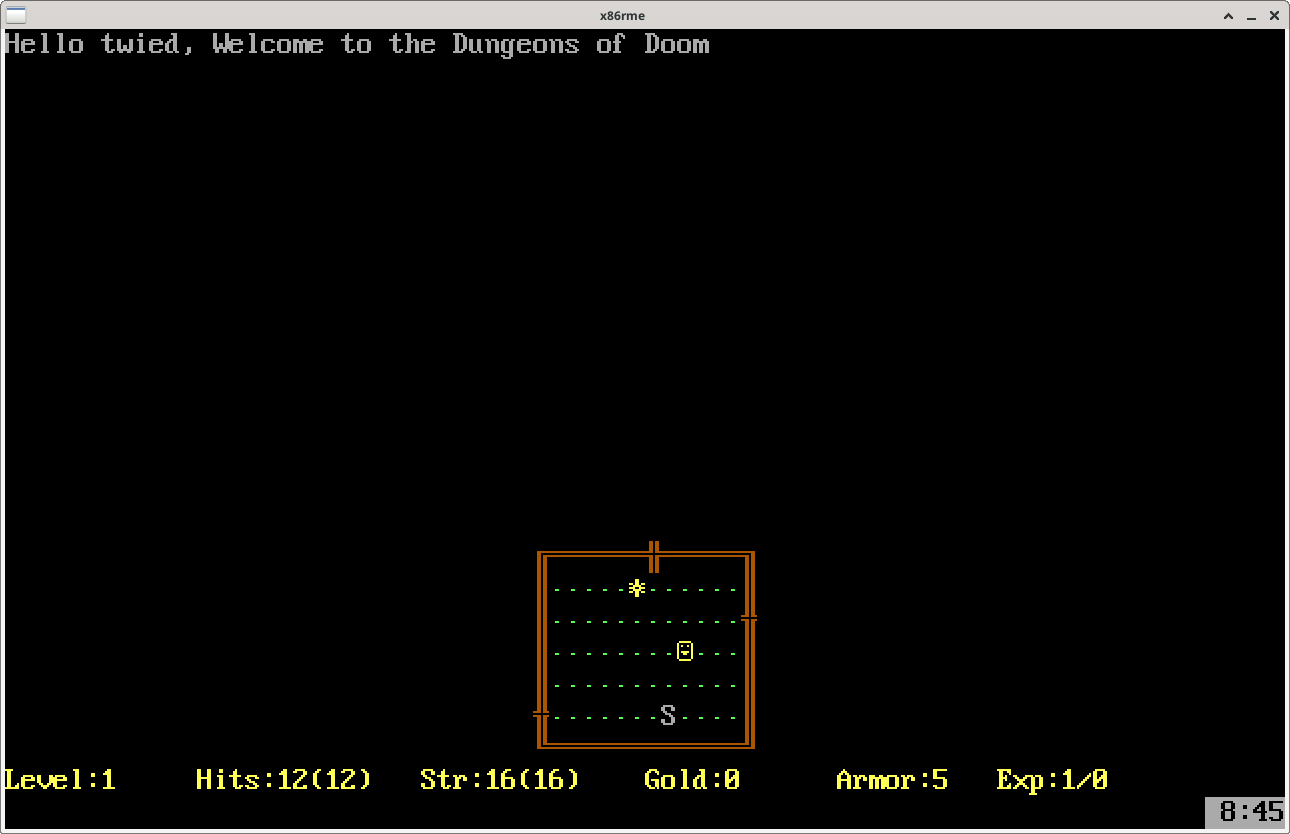
Hello twied, Welcome to the Dungeons of Doom.
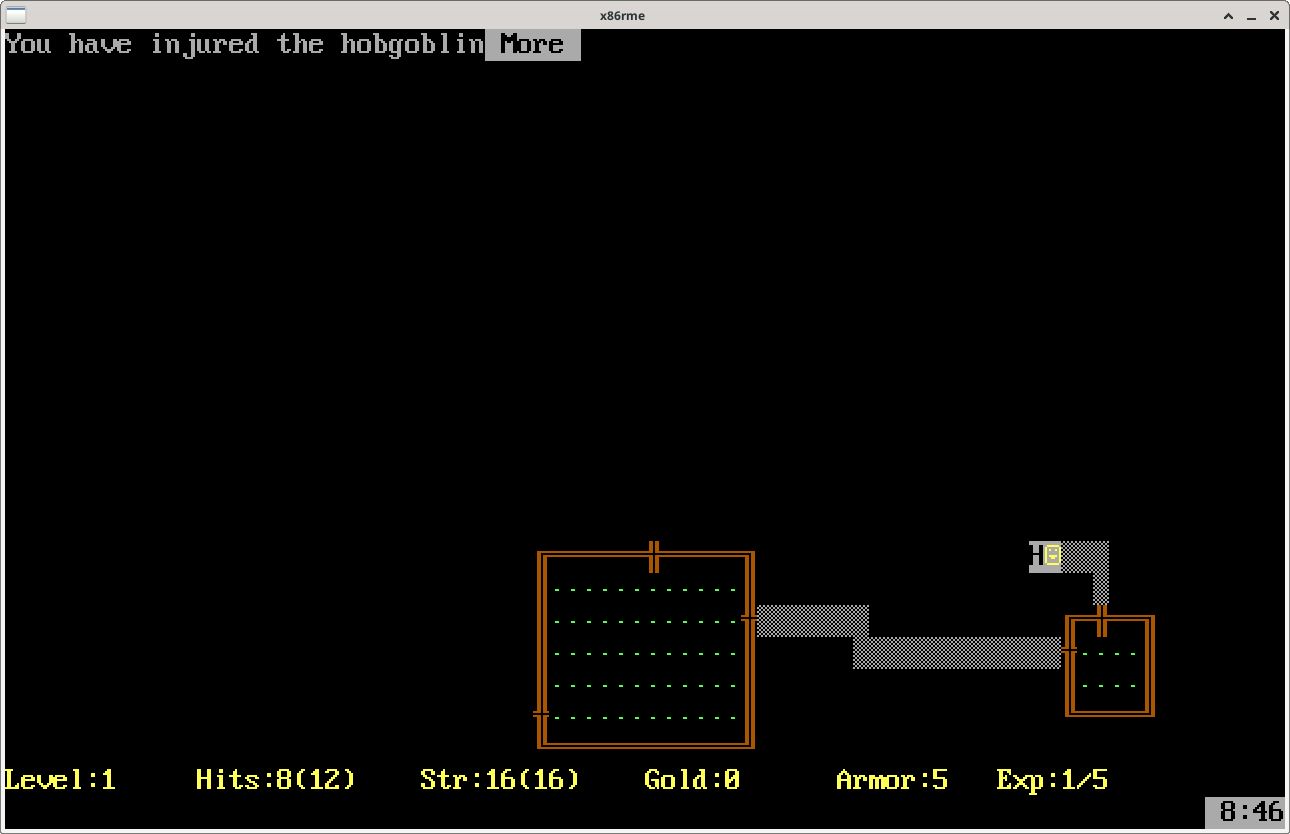
You have injured the hobgoblin.
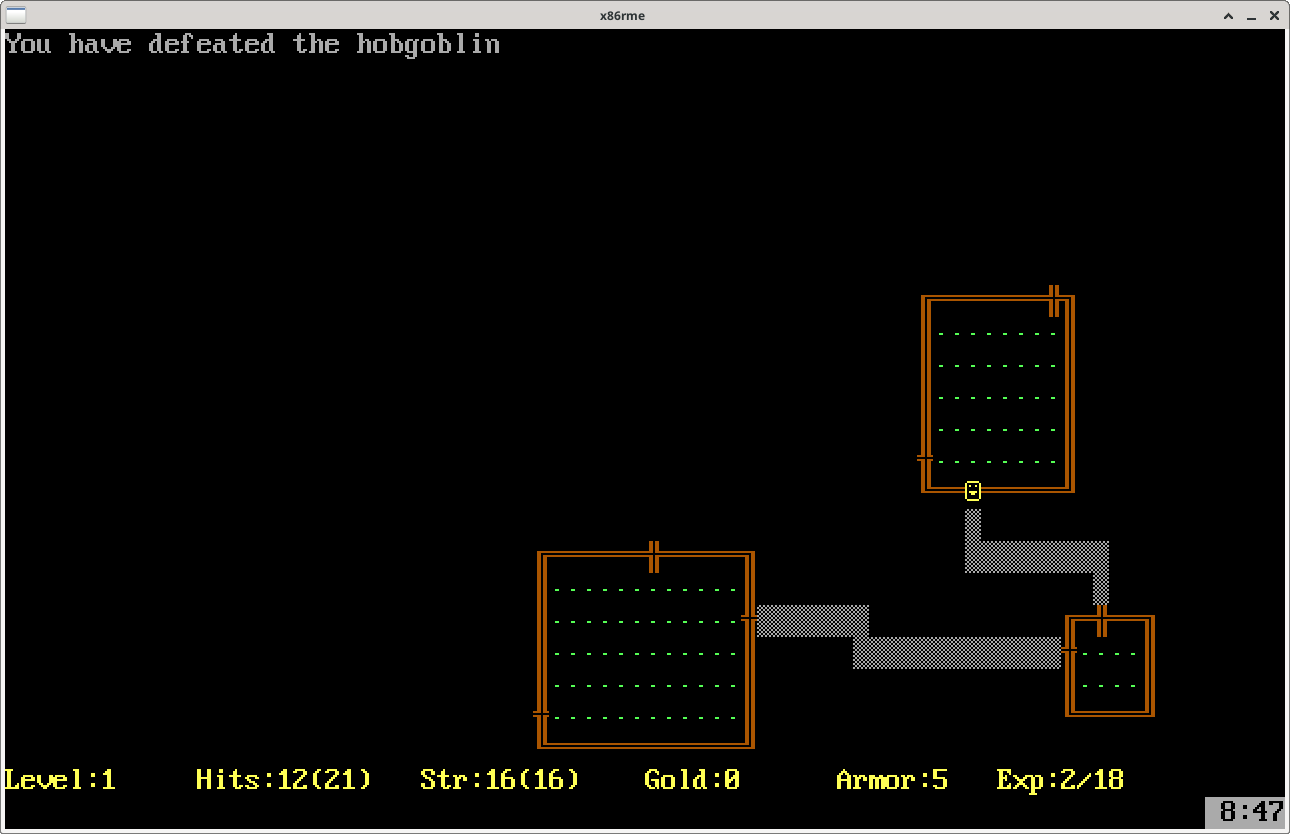
You have defeated the hobgoblin.
From raw instruction bytes to a playable game. Every opcode decoded, every system call handled, every memory block tracked. All the way down to a smiley face wandering through procedurally generated dungeons, fighting hobgoblins.
If you want to play DOS games, use DOSBox. It is production-grade, mature, and supports everything from Commander Keen to Doom. x86rme is an academic exercise, not a replacement.
If you want to find DOS games to play, the Internet Archive’s MS-DOS collection has thousands, many playable in the browser. My Abandonware is another treasure trove.
And if you want to make x86rme support QBasic GORILLAS, you would need to implement a QBasic interpreter, the BASIC runtime library, EGA graphics mode, and whatever else that game demands. Pull requests are welcome. I will watch from a safe distance.
As always, the code is on GitLab.