
Custom commands for gitk
I love extensible tools. Things that are simple and easy to learn, and yet support power user usage patterns. One thing that I particularly like when tools do it, is when they have a mechanism to define “user actions” or “user commands” so I can bolt on whatever script I want or need to create support for a use case that the developer never could have anticipated.
I love gitk. It ships with git itself, which
means every git installation has it, and it is still the fastest (gui) way I
know to browse a repository’s history. Oftentimes I find myself doing code
review for myself in gitk, just clicking through the commits and reading the
diff. And every time I find something I want to change, I have to switch to a
terminal, run git rebase -i <basecommit>, search for the right commit in the
editor, change the entry from “pick” to “edit”, then open an editor for the
file in question, find the correct spot, make the change, close the editor,
git add my changes, and run git rebase --continue.
My choices are now basically to switch to a different tool that supports that kind of workflow, or I teach gitk how to run scripts. I chose the latter.
With my patch applied, you can define up to three commands each for the commit list and the diff display area. Commands are configured in a new “Commands” tab in the preferences dialog:
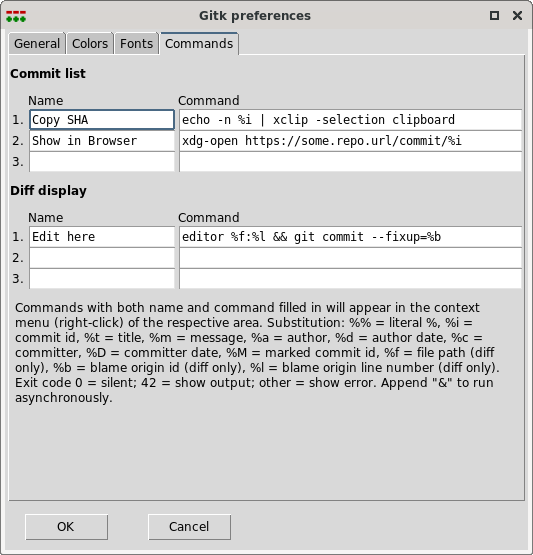
Each command has a name and a command template. Non-empty slots show up in the right-click context menu of the respective area:
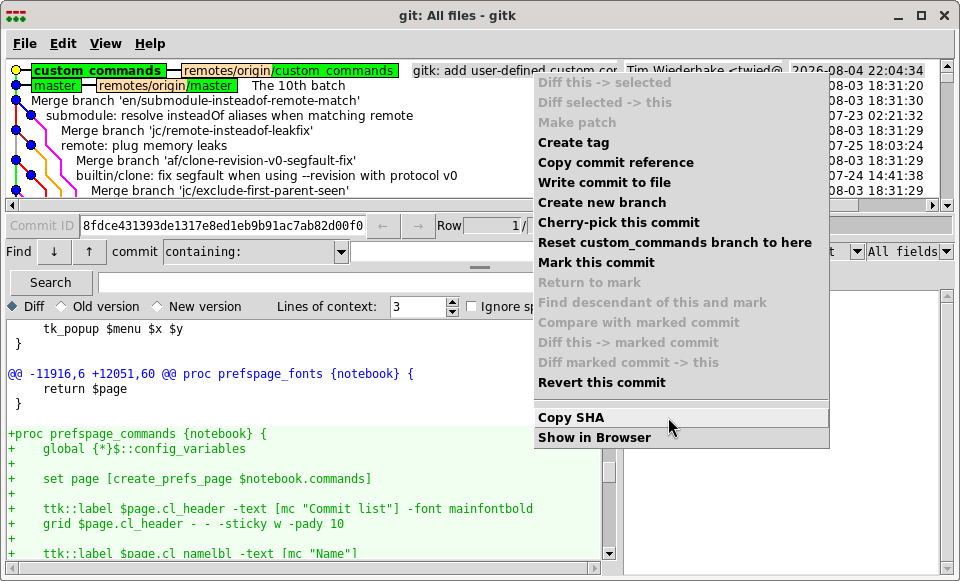
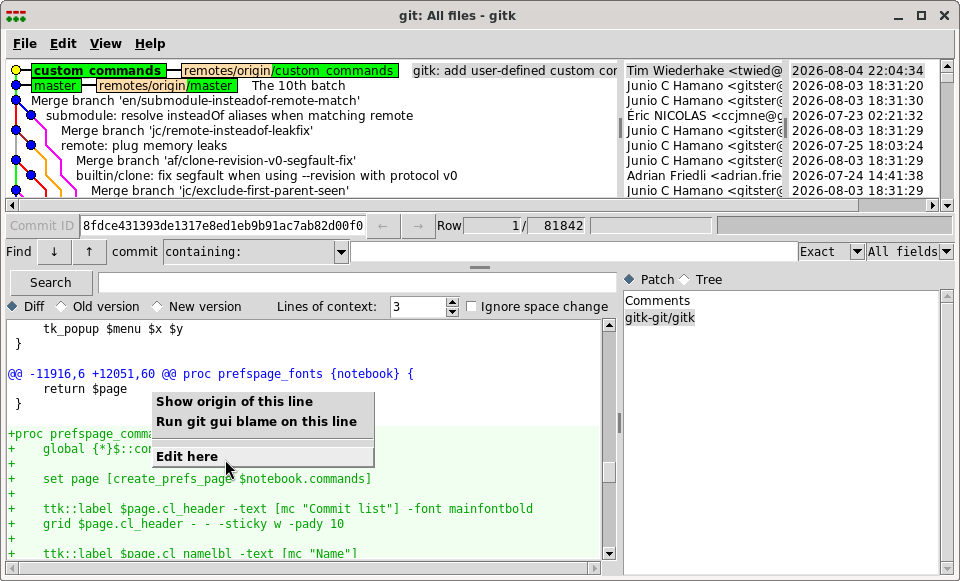
Command templates support placeholder substitution and are executed via
sh -c. The available placeholders are:
| Placeholder | Substitution |
|---|---|
%i |
Commit id |
%t |
Commit title |
%m |
Commit message |
%a |
Author |
%d |
Author date |
%c |
Committer |
%D |
Committer date |
%M |
Marked commit id |
%f |
File path (diff view only) |
%b |
Blame origin commit id (diff view only) |
%l |
Blame origin line number (diff view only) |
%% |
Literal % |
Exit code 0 means silent success. Exit code 42 displays the command’s output
in a message box. Any other exit code displays an error. Append & to run the
command asynchronously.
Find the pull request here.